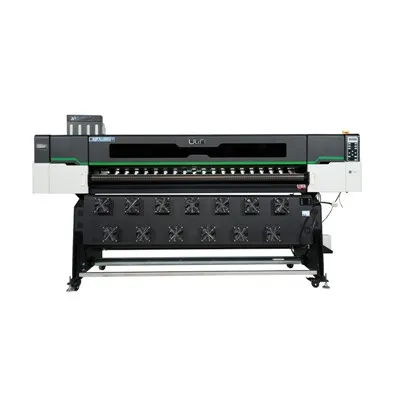
Printing stickers has become a popular DIY activity for many, whether it’s for personal use like decorating laptops or for small – business branding. One common question that arises is, "Can I use coated paper for printing stickers on my printer?" As a supplier of coated paper printers, I’m here to provide you with a comprehensive answer. Coated Paper Printer
Understanding Coated Paper
Coated paper is a type of paper that has been treated with a thin layer of coating material, usually clay or polymer. This coating gives the paper a smooth surface, which in turn enhances the print quality. The coating can be either glossy or matte, each offering a different aesthetic appeal.
Glossy coated paper has a shiny, reflective surface. It is great for printing images and graphics that require vibrant colors and high – contrast details. The glossy finish makes the colors pop and gives the print a professional look. This type of paper is commonly used for printing brochures, magazines, and high – end promotional materials.
On the other hand, matte coated paper has a non – reflective surface. It provides a more subdued and sophisticated look, making it ideal for text – heavy prints or when a less flashy appearance is desired. Matte paper also reduces glare, which can be beneficial for viewing in bright environments.
Compatibility with Printers
The answer to whether you can use coated paper for printing stickers on your printer depends largely on the type of printer you have. There are three main types of printers commonly used for home and small – business printing: inkjet printers, laser printers, and thermal printers.
Inkjet Printers
Inkjet printers work by spraying tiny droplets of ink onto the paper. Coated paper can be used with inkjet printers, but there are some considerations. The smooth surface of coated paper can cause the ink to sit on top of the paper rather than being absorbed. This can lead to issues such as smudging and slow drying times.
However, many modern inkjet printers are designed to work with a variety of paper types, including coated paper. Some inkjet printers even have specific settings for printing on coated paper, which adjust the ink flow and drying time to optimize the print quality. If you’re using an inkjet printer, it’s important to choose a coated paper that is labeled as compatible with inkjet printing.
Laser Printers
Laser printers use a toner powder that is fused onto the paper using heat. Coated paper is generally more compatible with laser printers than inkjet printers. The heat from the fusing process helps the toner adhere well to the coated surface.
One potential issue with using coated paper in laser printers is that the coating can sometimes cause the paper to stick together in the printer’s paper path, leading to paper jams. To avoid this, make sure to use a high – quality coated paper that is designed for laser printing. Also, adjust the printer settings to the appropriate paper type to ensure smooth feeding and optimal print quality.
Thermal Printers
Thermal printers work by using heat to create an image on special thermal paper. Coated paper is not typically used with thermal printers because the coating can interfere with the heat – sensitive process. Thermal printers require a specific type of thermal paper that is designed to react to heat and produce an image.
Printing Stickers with Coated Paper
If your printer is compatible with coated paper, you can definitely use it to print stickers. Here are the steps to follow:
Designing Your Stickers
First, you need to design your stickers using graphic design software such as Adobe Photoshop, Illustrator, or free alternatives like Canva. Make sure to set the correct dimensions and resolution for your stickers. A resolution of 300 DPI (dots per inch) is recommended for high – quality prints.
Preparing the Coated Paper
Before printing, it’s a good idea to let the coated paper acclimate to the environment of your printing area. This helps prevent issues such as curling or warping during printing. Also, check the paper for any dust or debris, as this can affect the print quality.
Printing the Stickers
Load the coated paper into your printer according to the manufacturer’s instructions. Select the appropriate paper type and print settings on your printer. It’s a good idea to do a test print on a small piece of coated paper to check the color accuracy, alignment, and overall print quality.
Cutting and Applying the Stickers
Once the stickers are printed and dry, you can cut them out using scissors, a craft knife, or a sticker cutting machine. To apply the stickers, simply peel them off the backing and stick them onto the desired surface.
Advantages of Using Coated Paper for Stickers
There are several advantages to using coated paper for printing stickers. Firstly, the smooth surface of coated paper results in high – quality prints with sharp images and vibrant colors. This makes your stickers look more professional and eye – catching.
Secondly, coated paper is more durable than regular paper. The coating provides a layer of protection against scratches, smudges, and moisture, which helps the stickers last longer. This is especially important if the stickers will be exposed to harsh conditions or used outdoors.
Finally, coated paper comes in a variety of finishes, such as glossy and matte, allowing you to choose the look that best suits your design and application.
Disadvantages of Using Coated Paper for Stickers
Despite its advantages, there are also some disadvantages to using coated paper for stickers. As mentioned earlier, the coating can cause issues such as smudging and slow drying times when using an inkjet printer. This can be a problem if you need to print a large number of stickers quickly.
Another potential issue is the cost. Coated paper is generally more expensive than regular paper, which can increase the overall cost of printing stickers. Additionally, some coated papers may not be as environmentally friendly as uncoated papers, as the coating process can involve the use of chemicals.
Conclusion
In conclusion, whether you can use coated paper for printing stickers on your printer depends on the type of printer you have. Inkjet and laser printers can generally work with coated paper, but you need to take certain precautions to ensure optimal print quality. Thermal printers are not suitable for coated paper.
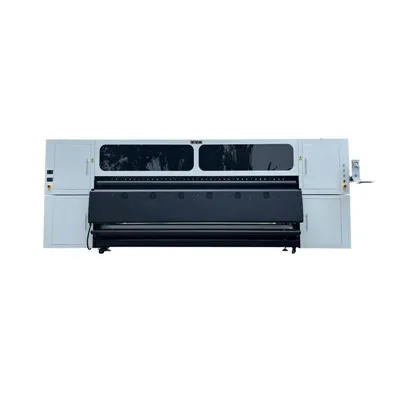
UV Roll To Roll Printer If you’re interested in using coated paper for printing stickers, I encourage you to reach out and start a conversation about the best solutions for your needs. As a coated paper printer supplier, we have a wide range of products and can offer expert advice on choosing the right paper and printer settings for your sticker – printing projects. Whether you’re a hobbyist looking to create unique stickers or a small business owner in need of professional – looking branding materials, we’re here to help you achieve the best results.
References
- "The Paper Book: A Guide to the World of Paper" by John D. Parsons
- "Printing Technology: Principles and Practices" by Raymond E. Prince
- Manufacturer’s manuals for various inkjet, laser, and thermal printers.
Hangzhou Yulan Technology Co., Ltd.
Hangzhou Yulan Technology Co., Ltd. is one of the most professional coated paper printer manufacturers and suppliers in China. With abundant experience, we warmly welcome you to wholesale the newest coated paper printer in stock here from our factory. Good service and quality products are available.
Address: Building, No.128 Rihui Road, Linping District, Hangzhou, China.
E-mail: ulinprint@gmail.com
WebSite: https://www.ulinprinter.com/
