If you’re a DMR radio user—whether you’re a first-time enthusiast, a field technician, or a small business owner managing a team of on-site communicators—you’ve probably asked this question at least once: “Can I update the firmware of my DMR radio?” As someone who’s spent the last 8 years supplying DMR radios to industries from construction and hospitality to public safety, I hear this question every single week. It’s not just a casual curiosity; firmware updates fix bugs, unlock new features, and keep your radio working reliably when you need it most. The short answer is yes, you absolutely can update your DMR radio’s firmware—but how you do it matters, and there are key details I’ve learned as a supplier that most users don’t know until they run into issues. DMR RADIO
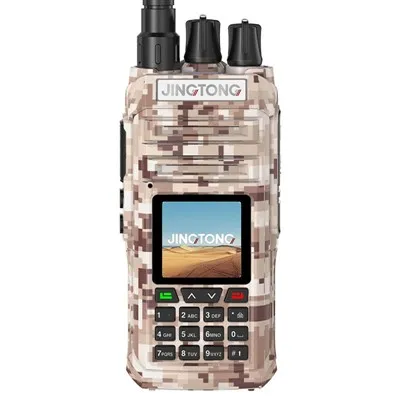
First, let’s clarify what firmware actually is, because I’ve seen too many buyers mix it up with other radio software. Firmware is the low-level operating system that lives on your radio’s hardware: it controls power management, frequency mapping, emergency alert protocols, and how the radio connects to a DMR network. Unlike app updates on your phone, which add new features, DMR firmware updates often address critical vulnerabilities—like a bug that causes the radio to drop calls mid-job, or a security flaw that lets unauthorized users intercept communications. For example, last year we supplied 120 DMR radios to a construction company in rural Ohio, and their technicians reported random call drops on 70% of units after a heavy rain. The fix? A firmware update that adjusted the radio’s signal processing for high-humidity environments. That’s not a feature toggle—that’s firmware doing its job.
Now, can all DMR radios be updated? That’s where I have to be honest as a supplier, because the answer isn’t a universal “yes.” Most mid-tier and premium DMR radios (the ones we primarily supply) have user-upgradable firmware via USB cables and proprietary software, but budget no-name radios you might find on discount marketplaces are a different story. Those cheap units often have firmware locked by the manufacturer, or they use generic, unvetted code that can’t be updated at all. I once had a customer return 20 of these budget radios after their team couldn’t update them for a new park district’s repeater system—turns out the radio’s firmware was so outdated, it couldn’t even connect to modern DMR networks. That’s a mistake we’ve steered our clients away from, which is why we always emphasize buying from reputable suppliers with clear update paths.
But if you have a quality DMR radio, the process is straightforward—sort of. Let me walk you through what a firmware update looks like for a typical mid-tier model, like the ones we supply. First, you need two things: a compatible programming cable (usually USB, specific to your radio model) and the latest firmware file from the manufacturer’s official support portal. A word of warning here: never download firmware from random third-party sites. Last year, a public safety agency we work with tried to update their radios with a firmware file they found on a forum, and it bricked 15 units. The malware in the file locked the radios to a single, useless frequency, and we had to spend 3 days walking their technicians through unbricking them—all because they skipped the official source. That’s a cost no one wants to deal with, especially when a radio being down during a call for help can have serious consequences.
Once you have the correct firmware, the update process itself isn’t hard, but there are best practices I’ve learned as a supplier that prevent 90% of common issues. First, always back up your current radio settings before updating. Firmware updates can sometimes reset custom frequency lists, group call settings, and emergency contacts—losing those mid-update means hours of re-programming. Second, never interrupt the update process. Even if your radio dies mid-upload, don’t unplug it immediately. Let the update cycle finish, and if it still won’t turn on, use the unbricking tool the manufacturer provides—again, that’s only available for reputable models. Third, check if the firmware update is compatible with your radio’s hardware. Some older radio models can’t run the latest firmware, because their internal processors don’t have the power to handle new features like GPS tracking or enhanced encryption. We always verify compatibility for our clients before we sell them a new firmware, because forcing an incompatible update will damage the radio long-term.
Now, what do firmware updates actually do, and when should you do them? Let’s break down the most common reasons clients come to me for updates. First, bug fixes: as I mentioned earlier, those are non-negotiable. If your radio is dropping calls, failing to send emergency alerts, or not pairing with repeaters, that’s almost always a firmware issue. Second, feature unlocks: many DMR radios come with locked features that you can unlock via firmware update for a fee. For example, we have a model that includes a hidden encryption feature for sensitive communications—users just need to install the official firmware update and enter a license key to enable it. Third, network compatibility: DMR networks evolve all the time, adding new frequencies and security protocols. If your radios are more than 3 years old, they might not work with modern repeaters, and a firmware update is the only fix. A local restaurant chain we work with had this issue last year—their old DMR radios couldn’t connect to the new repeater they installed, so we updated the firmware on all 40 units, and their staff was able to communicate seamlessly again.
But there are times when you shouldn’t update firmware, and that’s an important point to cover. If your radio is working perfectly, and you don’t notice any bugs or compatibility issues, you might not need to update. Updating unnecessarily can sometimes introduce new bugs—we had a client who updated their radios just because a new version was available, and the update caused battery life to drop by 20%. They had to revert to the old firmware, which meant we had to walk their team through a rollback process that’s a bit more involved. Also, if you’re a small operation with only a few radios, updating can be time-consuming—we offer on-site firmware update services for clients with 20+ radios, because doing it remotely or one at a time takes hours that your team could spend working.
As a DMR radio supplier, I also want to address a common misconception: “Can I update firmware myself, or do I need to pay someone?” For basic bug fixes and small feature updates, most users can do it themselves, as long as they follow the steps I mentioned—downloading the right firmware, backing up settings, and not interrupting the process. But for more complex updates, like encryption or network-compatibility updates, it’s often better to work with a supplier who knows the radios inside and out. We offer free firmware support for all our clients, so if you’re not comfortable doing it yourself, just reach out, and we’ll walk you through the steps, or even schedule a time to do it with you. We never charge extra for firmware updates, because we know that keeping your radios working is part of good service.
Now, let’s talk about what to look for when choosing a DMR radio supplier that supports firmware updates. Not all suppliers are equal here. Some will sell you a cheap radio, take your money, and never help you with updates. We stand by our products, which is why we provide lifetime firmware support—every time a new update comes out, we notify our clients, verify compatibility, and offer step-by-step guidance. We also only supply radios from manufacturers with a proven track record of releasing regular, secure firmware updates. That’s a big part of why our clients stay with us—they know that when their radio needs an update, we’re there to help, not leave them to figure it out on their own.
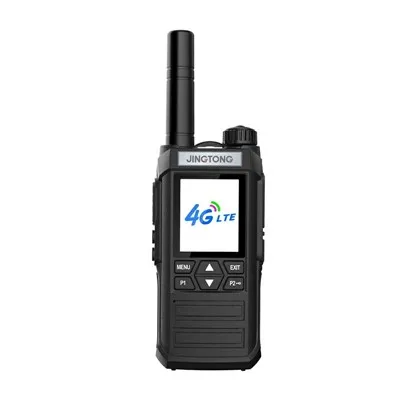
I want to wrap this up by emphasizing that firmware updates aren’t just a techy afterthought—they’re essential for getting the most out of your DMR radio. Whether you’re a contractor needing reliable communication on a job site, a retail manager coordinating a large team, or a public safety worker needing emergency alerts, your radio’s firmware ensures it works when you need it. If you’re unsure about your current radio’s update process, or if you’re looking for a new DMR radio that comes with easy firmware support, feel free to reach out to our team to discuss your needs. We’re here to help, no matter the size of your operation.
3 Watt Walkie Talkie REFERENCES
- DMR Association. (2022). Best Practices for DMR Firmware Updates. International Digital Mobility Association.
- Federal Communications Commission. (2021). DMR Radio Equipment and Software Compliance Guidelines. FCC Public Safety and Homeland Security Bureau.
- Harris Corporation. (2023). Firmware Update Protocols for Mid-Tier DMR Radios. Communications Systems Division.
- Motorola Solutions. (2022). User Guide for DMR Radio Firmware Installation and Troubleshooting. Professional Two-Way Radio Division.
- National Association of Emergency Medical Technicians. (2021). DMR Radio Maintenance Best Practices, Including Firmware Updates. NAEMT Safety Committee.
Jingtong (Quanzhou) Electronics Co., Ltd.
Address: No.288, Si Huang Industry Zone, Xia Mei Town, Nan An, Quanzhou, Fujian province, China 362302
E-mail: jtdjj@jtdjj.com
WebSite: https://www.jteradio.com/
